Stationery1.4.3
Publisher Description
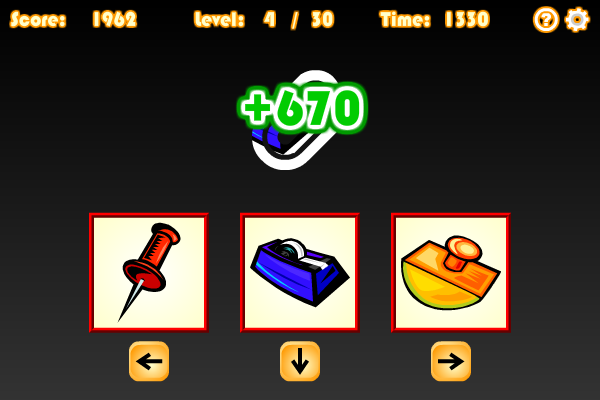
Is your observation good enough to spot the scrolling objects? Your goal in this game is to identify the object that scrolls from right to left and choose the correct image accordingly. When the game starts, a piece of stationery will scroll on the clip-shaped screen, while 3 pictures of different objects are displayed at the bottom. You can use the left arrow key on your keyboard to choose the image on the left, the down arrow key for the picture in the middle, or press the right arrow key to select the image on the right. You need to pick the answer as quickly as possible as no points will be awarded if your reaction is too slow. If you choose a wrong picture, 1000 points will be deducted, and you need to select the correct picture in order to proceed. The time that you have spent at each level is displayed at the top right corner of the screen. Try to complete all 30 levels now!
About Stationery
This Action program is available in English, ChineseTraditional, ChineseSimplified, Spanish, Japanese, Portuguese, German, Arabic, French, Russian, Korean, Hindi. It was last updated on 29 September, 2026. Stationery is compatible with the following operating systems: Windows.
The company that develops Stationery is Novel Games Limited. The latest version released by its developer is 1.4.3. This version was rated by 3 users of our site and has an average rating of 4.7.
The download we have available for Stationery has a file size of N/A. Just click the green Download button above to start the downloading process. The program is listed on our website since 2007-04-27 and was downloaded 249 times. We have already checked if the download link is safe, however for your own protection we recommend that you scan the downloaded software with your antivirus. Your antivirus may detect the Stationery as malware if the download link is broken.
How to install Stationery on your Windows device:
- Click on the Download button on our website. This will start the download from the website of the developer.
- Once the Stationery is downloaded click on it to start the setup process (assuming you are on a desktop computer).
- When the installation is finished you should be able to see and run the program.
Program Details
General
System requirements
Download information
Pricing
Version History
version 1.1.0
posted on 2007-04-27
version 1.4.3
posted on 2007-04-27
Added 3 language versions
